 Contact
  Infocenter
  login
login  0 Product Products 0 Vare
 No products
0 Product(s) for a total of: 0 NOK

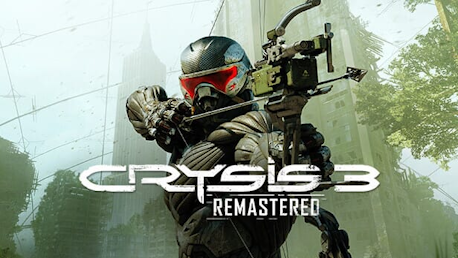
Crysis 3 Remastered (PC)

Experience the single-player experience from the iconic first-person shooter, Crysis 3, optimized to take advantage of today's hardware in Crysis 3 Remastered.
In Crysis 3 Remastered, the fate of the world is once again in your hands. Returning to the fight as super-soldier Prophet, wielding a powerful auto-loading Predator Bow that fires electric, explosive, and carbon arrows, take on new and old enemies that threaten the peace you worked so hard to achieve. The search for the alien Alpha Ceph continues, but now you must also expose the truth behind the C.E.L.L. corporation, which has turned New York City into a sprawling urban rainforest sheltered by a giant nanodome. Equipped with your legendary Nanosuit, you must assess, adapt, and attack as you choose your path and fight through seven distinct districts. Decimate your opponents in a blaze of brute force using the Nanosuit's superior technology, or use stealth to achieve your goals and become humanity's silent savior. There's no wrong way to save the world.


How does it work? Will I receive Crysis 3 Remastered as a physical copy?
No, you will receive Crysis 3 Remastered product key (Crysis 3 Remastered CD Key), that you will receive by e-mail. Afterwards, you will need to use the Steam-platform to redeem your Crysis 3 Remastered product key (Crysis 3 Remastered CD Key), and you'll be ready to download, install and play Crysis 3 Remastered. You will receive a step-by-step guide on how to do this along with your purchase. It's easy as can be!
Experience the single-player experience from the iconic first-person shooter, Crysis 3, optimized to take advantage of today's hardware in Crysis 3 Remastered.

No customer reviews for the moment.