 Contact
  Infocenter
  login
login  0 Product Products 0 Vare
 No products
0 Product(s) for a total of: 0 NOK

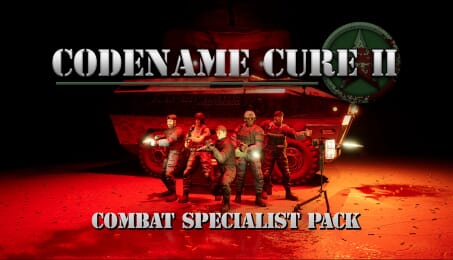
Codename CURE II – Combat Specialist Pack (PC)

Become the Ultimate Combat Specialist
Expand your arsenal and customize your loadout with the Combat Specialist Pack for Codename CURE II.
Deploy with new weapons, tactical attachments, and military-inspired cosmetics designed for operators who want more options on the battlefield.
Included in this Pack
Weapons
SPAR12-SA — Semi-Automatic Shotgun (Pointman Primary Weapon)
SPAR12-PA — Pump-Action Shotgun (Technician Primary Weapon)
Patriot — High-caliber sidearm available to all classes
Attachments
Holographic Sight — Compatible with most primary weapons
Micro Cobra Dot — Compatible with all pistols
Tactical Suppressor — Compatible with most weapons
Cosmetic Equipment
Ballistic Mask
White
Shadow
Red
Forest Camo
Battle Dress
Regular
Red
Shadow
White
Police
Yellow
Brown
Tech
Customize every class with new tactical gear, fine-tune your weapons, and take the fight to the infected in style.
Legal Information
© Raptor Byte & Freedom Games - All Rights Reserved

How does it work? Will I receive Codename CURE II – Combat Specialist Pack as a physical copy?
No, you will receive Codename CURE II – Combat Specialist Pack product key (Codename CURE II – Combat Specialist Pack CD Key), that you will receive by e-mail. Afterwards, you will need to use the Steam-platform to redeem your Codename CURE II – Combat Specialist Pack product key (Codename CURE II – Combat Specialist Pack CD Key), and you'll be ready to download, install and play Codename CURE II – Combat Specialist Pack. You will receive a step-by-step guide on how to do this along with your purchase. It's easy as can be!
Deploy with exclusive weapons, tactical attachments, and military cosmetics. The Combat Specialist Pack adds new firearms, weapon upgrades, and customizable gear for every class in Codename CURE II.
Minimum:
- Requires a 64-bit processor and operating system
Recommended:
- Requires a 64-bit processor and operating system
No customer reviews for the moment.