 Contact
  Infocenter
  login
login Requires the base game Crusader Kings II on Steam in order to use Crusader Kings II: The Old Gods.
 0 Product Products 0 Vare
 No products
Your basket contains
0 Product(s) for a total of: 0 NOK
0 Product(s) for a total of: 0 NOK

Product successfully added to your shopping cart
Quantity
Total
There are 0 items in your cart. There is 1 item in your cart.
Total products
Total shipping To be determined
Total
Crusader Kings II: The Old Gods (PC)
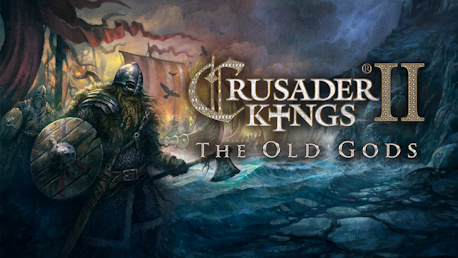
Crusader Kings II: The Old Gods (PC)

Crusader Kings II: The Old Gods CD key to be activated and downloaded via Steam. You will not be sent any physical items in the mail. You will receive a(n) Steam product key via e -mail.
Additional content!
CRUSADER KINGS II: THE OLD GODS GAME DESCRIPTION
Europe is in turmoil. The land has been fragmented into petty fiefdoms, the Emperor struggles with the Pope, and the Holy Father declares that all those who go to liberate the Holy Land will be freed of their sins. Now is the time for greatness.
Crusader Kings II: The Old Gods, the fourth expansion for the critically praised strategy/RPG, finally enables you to play as a Pagan or Zoroastrian ruler, with particular focus on the dreaded Vikings and their tradition of pillage and adventure.
Crusader Kings II explores one of the defining periods in world history in an experience crafted by Paradox Development Studio, the masters of Strategy. Medieval Europe comes to life in this game of knights, schemes and thrones.
Main features:
- Play as a Pagan chieftain and ravage your weak neighbors. If you remain at peace for too long, your people will grow restless...
- The new earliest start date is 867 AD: The Viking Rurik has founded the kingdom of Rus and the Great Heathen Army under the sons of Ragnar Lodbrok rampages through England.
- Play as a Zoroastrian lord and restore your ancient religion to prominence.
- Adventurers: Landless characters can gather armies and go off to carve out new realms on their own.
- Prepared Invasions: Declare your intention to invade and watch your armies grow with adventurers and restless warriors, but don't wait too long to start your war or it might all fall apart...
- Rebels with a Cause: Rebels are no longer a faceless menace – they are now led by characters with agendas.
- Loot and pillage provinces. Burn down their cities and take their gold!
- Sacrifice to Odin at the great Blot!
- Christians and Muslims can dispatch missions to convert the depraved heathens.
- New beautiful Pagan interface skin.
- New events and decisions: berserkers, sejdr, curses, omens, divinations, runestones and much more.
FREQUENTLY ASKED QUESTIONS
How does it work? Will I receive Crusader Kings II: The Old Gods as a physical copy?
No, you will receive Crusader Kings II: The Old Gods product key (Crusader Kings II: The Old Gods CD Key), that you will receive by e-mail. Afterwards, you will need to use the Steam-platform to redeem your Crusader Kings II: The Old Gods product key (Crusader Kings II: The Old Gods CD Key), and you'll be ready to download, install and play Crusader Kings II: The Old Gods. You will receive a step-by-step guide on how to do this along with your purchase. It's easy as can be!
Publisher Paradox Interactive
Udvikler Paradox Development Studio
Release date 28-05-2013
System requirements Read moreNo customer reviews for the moment.